Foreword
This blog records the evolution process and lacks reference value. It is recommended to directly check the following projects and deploy quickly using Docker.

Screenshots:
| Light | Dark |
|---|---|
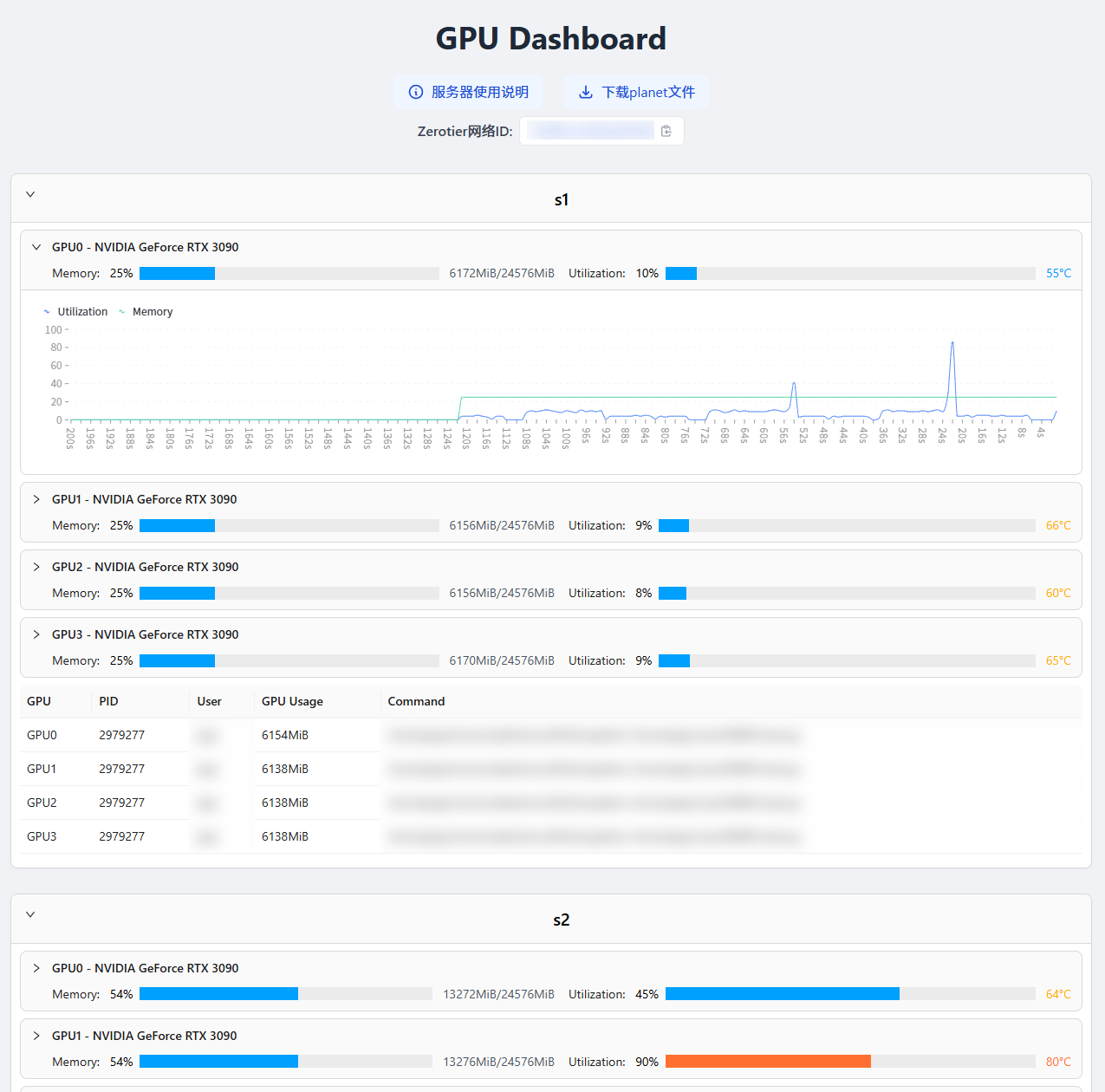 | 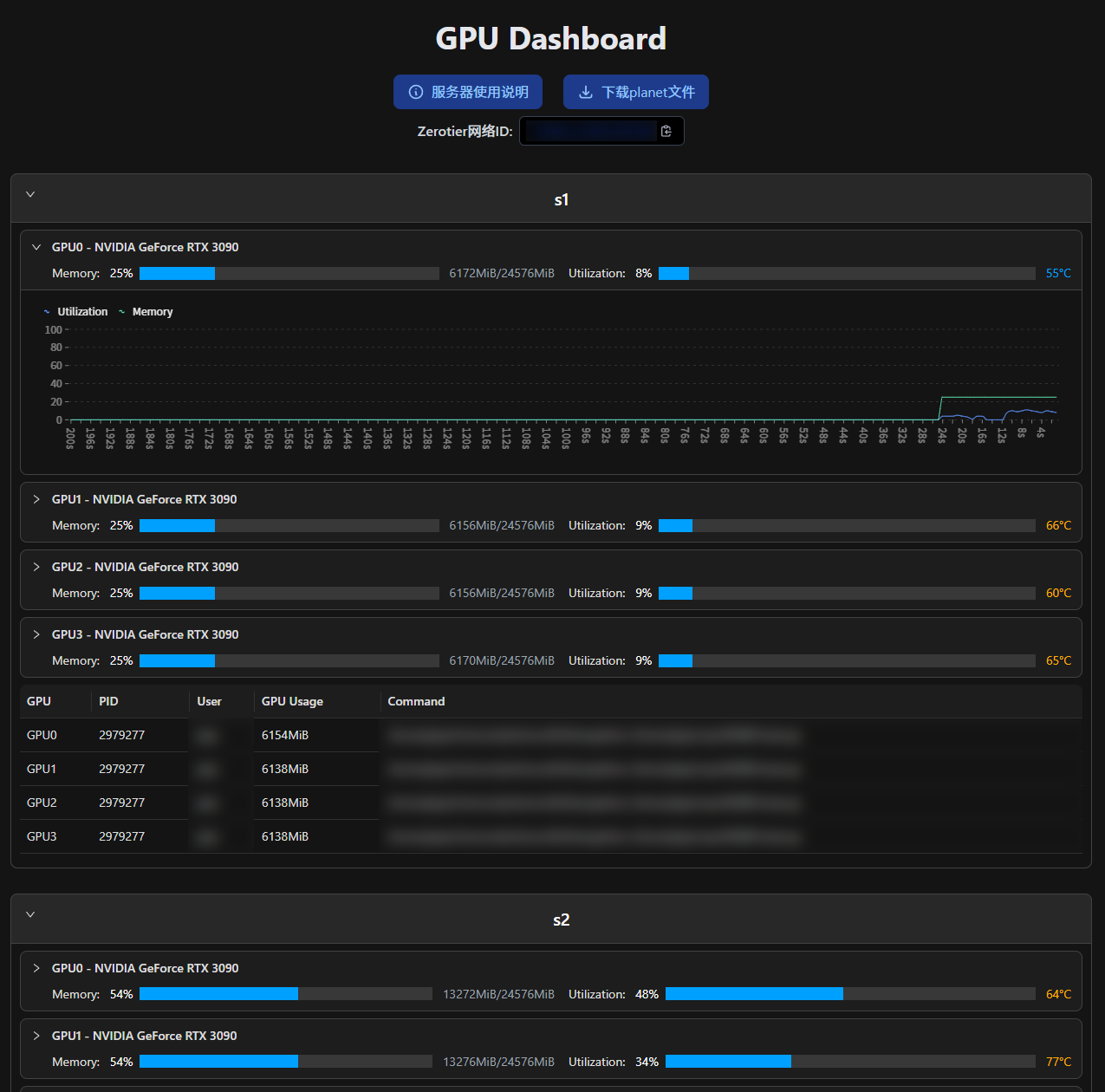 |
Old Solution: SSH to Get nvidia-smi Output
My previous front-end experience was limited to generating HTML with Python, so I configured a GPU monitoring solution on my small host:
- Use the ssh command to obtain the output of nvidia-smi and parse information such as memory usage from it.
- According to the pid of the process occupying the GPU, use the ps command to get the user and command.
- Use Python to output the above information as markdown, and then output it as HTML via Markdown.
- Configure cron to execute the above steps every minute, and set the web page root in nginx to the directory where the HTML is located.
The corresponding code is as follows:
CodeBlock Loading...
CodeBlock Loading...
CodeBlock Loading...
This solution has several obvious drawbacks: low update frequency and complete reliance on backend updates, meaning data is constantly refreshed regardless of whether anyone is accessing it.
New Solution: Front-End and Back-End Separation
I had always wanted to implement a GPU monitoring system with front-end and back-end separation, where each server runs a fastapi that returns the required data upon request. The recently developed NJU Charge gave me the confidence to develop a front end that fetches data from the API and renders it on the page.
FastAPI Backend
Recently, I accidentally discovered that nvitop supports Python calls. I had always thought it could only visualize data via commands.
Great, this makes it much easier to get the required data, and the amount of code is greatly reduced! ( •̀ ω •́ )✧
However, a troublesome issue is that our lab servers are behind a router that I don't control, and only SSH port forwarding is enabled.
Here I chose to use frp to map each server's API port to my small host on campus. Coincidentally, my small host already runs several web services, making it convenient to access the APIs via domain names.
I was being silly earlier; actually, SSH (ssh -fN -L 8000:localhost:8000 user@ip) can be used for port mapping, which allows removing frp-related content from the code and makes it easier to start the web side with Docker.
CodeBlock Loading...
There are three environment variables in the code:
SUBURL: Used to configure the API path, for example, specifying the server name.FRP_PATH: The path where frp and its configuration are located, used to map the API port to my on-campus small host. If your servers can be accessed directly, you can delete the related functions, change the last line to0.0.0.0, and then access via IP (or configure a domain name for each server).PORT: The port where the API is located.
Here I only wrote two interfaces , actually only one is used
/count: Returns how many GPUs there are./status: Returns specific status information; see the example below for the returned data. However, I also wrote two optional parameters:idx: Comma-separated numbers to get the status of specified GPUs.process: Used to filter the returned processes. When I use it, I directly set it to C to show only computing tasks.
CodeBlock Loading...
Vue Frontend
Here I took a shortcut , actually because I didn't know how, and temporarily copied the UI originally generated with Python.
CodeBlock Loading...
CodeBlock Loading...
CodeBlock Loading...
CodeBlock Loading...
npm run build successfully produced the release files, and configuring nginx's root to that folder completed the task.
The implemented effect: https://nvtop.njucite.cn/
Although the UI is still ugly, at least it can refresh dynamically now, yay!
New UI
First, draw the pie here, waiting for me to return after learning. ( ̄_, ̄ )
More beautiful UI (I'm not sure if this has been achieved; I'm a design waste)
Add utilization line chart
Support dark mode
2024/12/27: Completed the above TODOs using Next.js, and also implemented the function to hide some hosts, setting the hidden hosts as cookies for the same state when reopened next time.
2025/03/11: Next.js updated with email login functionality, restricting access to authorized users only.
2025/09/18: Organized the code; now the functionality is basically complete and convenient for others to deploy directly.
Full code available at: